System · macOS
e2Atlas
Enigma2 player for Mac.
What it does
e2Atlas is a native macOS player for Enigma2 receivers. It connects to compatible receivers through OpenWebif and provides live TV, multiview, channel search, receiver-provided channel logos and a programme guide.
AI-assisted development
Schrotty74 develops these projects with AI assistance. Depending on the project, OpenAI Codex and, in parts, Claude support the development work. Xcode is used for Apple-platform development. Schrotty74 retains final review and responsibility.
Screenshots
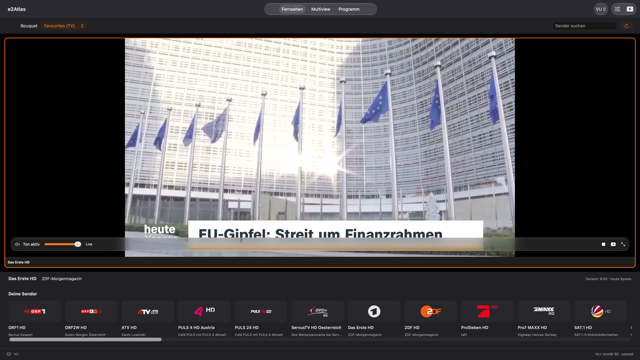
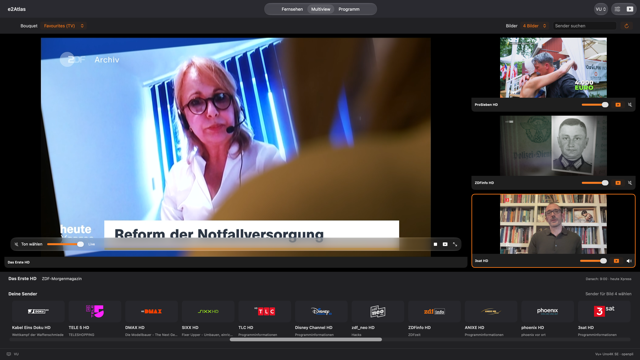
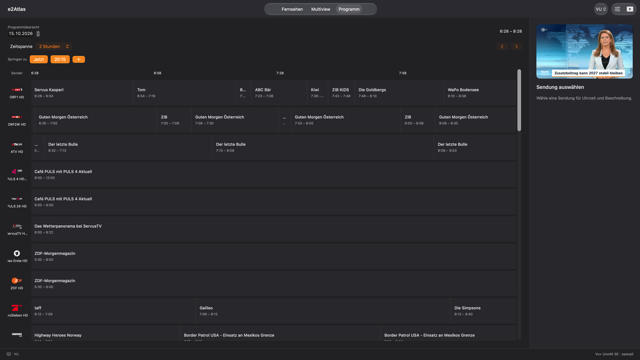
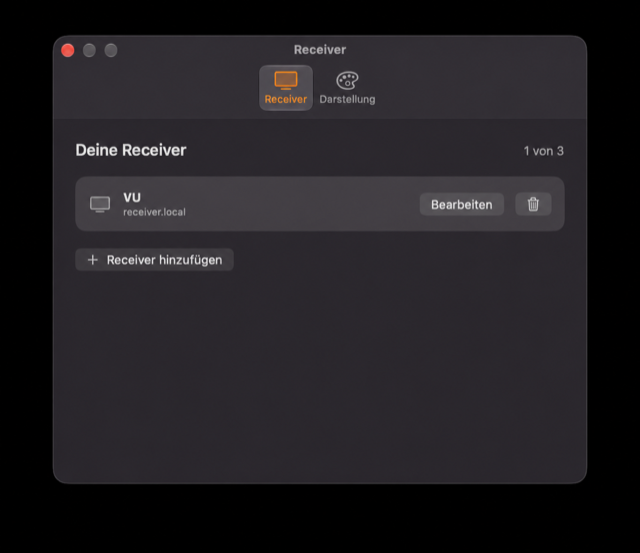
Key features
.ts file, with folder and duration options and a low-space stop.Manual & downloads
Latest beta release · v0.1.0-beta.1
Beta versions may still contain errors or incomplete features. Use them at your own risk.
Data and privacy
e2Atlas connects locally to compatible Enigma2 receivers through OpenWebif. App details are based on the public e2Atlas repository and its published releases.
Descriptions, technical details, downloads and manuals reflect the public repository. External links open only when you select them. Displayed screenshots use the demo or fictional data documented there.